
The system
What Polaris does
Polaris has three parts: the back office, the staff app used at the branches and head office, and the member app. Everything shares one ledger, so the books, members' statements and the reports always agree.
Members
One view of each member, at every branch
Staff find the member first, by name, member number, ID or account number, and work from the member's page. They never type an account number to post money, and a member can be served at any branch.
- Onboarding step by step: registration, contacts, the membership application, due diligence documents, approval, the admission payment and the first account. Nothing is lost by stopping halfway.
- Individuals and organisations, with nominees, beneficial owners, directors and signatories.
- Digital banking enrolment for the member app, and suspension at once if a phone is lost.
- Branch transfers, account closure and member exits, each with its own approval.
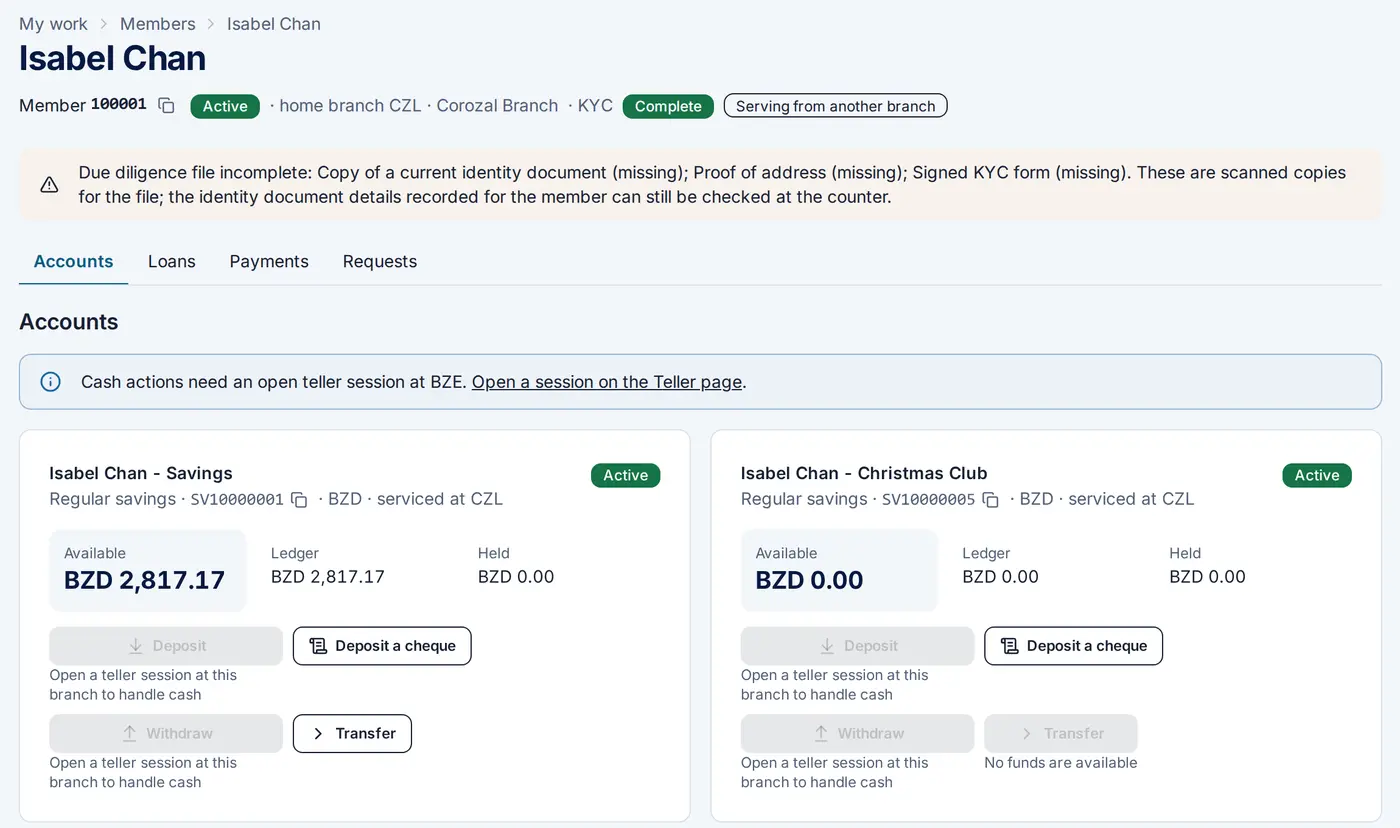
Counter and cash
A counter that keeps cash and the ledger in step
Every transaction at the counter posts through the same path as everything else in Polaris, so the drawer, the branch cash and the general ledger agree at the end of the day.
Transactions
Deposits, withdrawals, transfers, cheques and share purchases, with a receipt to print, email or text.
Checks at the counter
An identity check above an amount the credit union sets, and supervisor approval for large withdrawals.
Vaults and drawers
Counted by denomination, cash moved under two-person control, and a daily branch cash sign-off checked against the ledger.
Loans
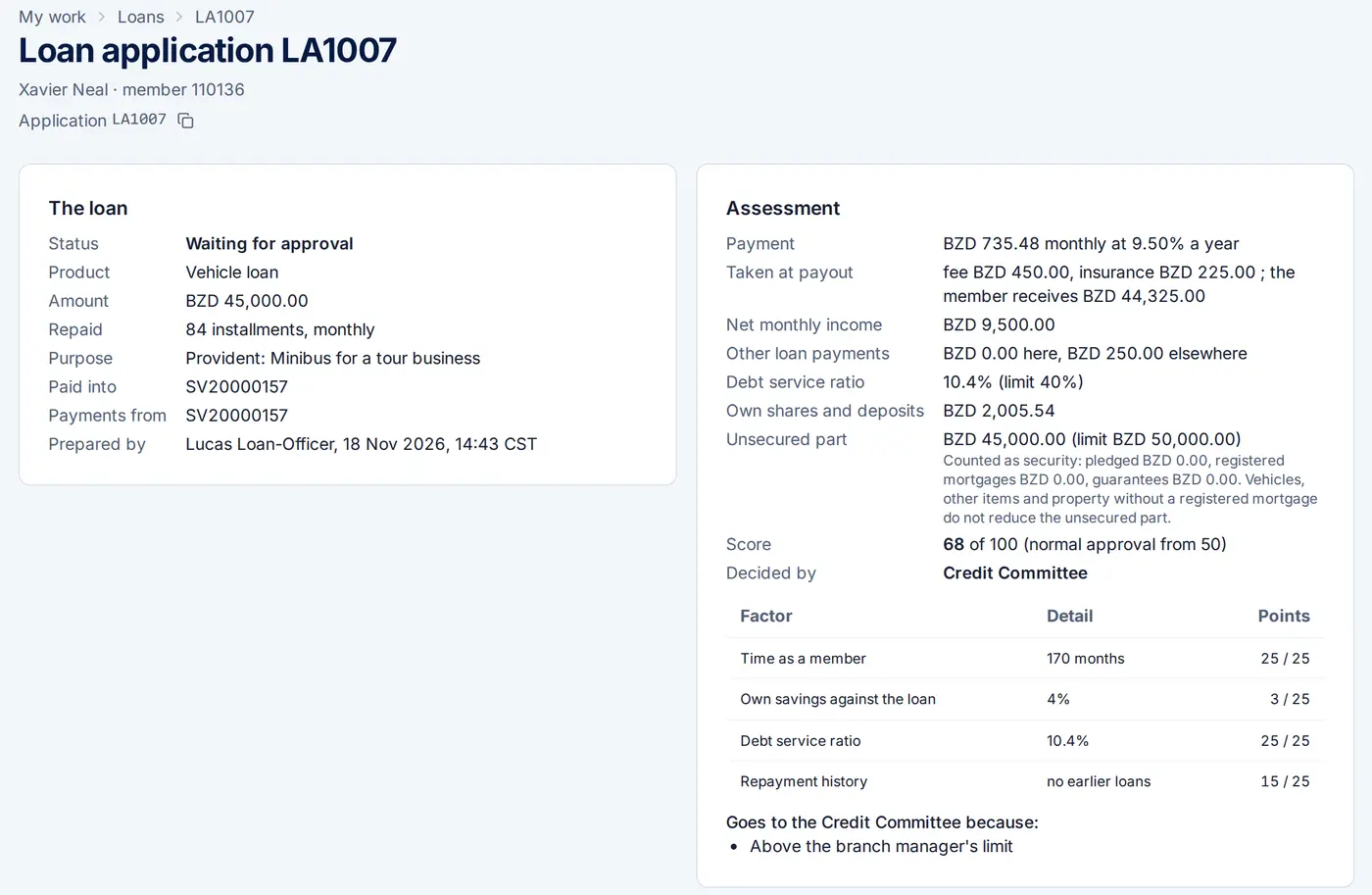
An assessment on one page, and approval by authority
- The assessment: the payment, the debt service ratio, the member's own shares and deposits, the unsecured part against the board's limit (s.28(b)) and a score.
- Approval by authority: loan officer, branch manager, then the Credit Committee with two approvals (s.29). Every limit is a setting.
- An insider register (s.47(5), (6)): nobody decides their own loan or an associate's, and nobody gets better terms.
- Guarantors and collateral, disbursement, repayments, collections with promises to pay, restructuring, and write-off with two Credit Committee approvals.
- Classification under CUA Requirement 1/2020 and provisioning under Requirement 2/2013, posted at each month end.
- Declining-balance interest only, worked out every night, and extra payments to principal on any business day with no penalty.
Accounting and the board's view
Books the Registrar and the auditor can rely on
General ledger and closing
- Double-entry general ledger with fiscal periods closed in order.
- A month-end checklist, and year end with the Reserve Fund appropriation (s.51).
- A period for the auditor's adjustments; the year locks after closing.
- Journals are never edited or deleted. A mistake is corrected by an approved reversal.
Statements and returns
- Financial statements for the whole credit union or one branch, with comparatives.
- A board pack with key ratios, and results against the budget.
- The monthly Registrar return (s.58) in eight schedules, approved by a second person before it is filed.
- Prudential monitors for liquidity, the Reserve Fund, borrowings and the loan loss reserve.
Running the office
- Bills and suppliers, payment runs and petty cash.
- Fixed assets, with revaluation gains to their reserve.
- Budgets by branch and account.
Banks and employers
- Bank statements imported for reconciliation.
- Payments to other banks prepared as a file for the bank, approved by a second person.
- Payroll deduction from employers, posted to members' accounts and loans.
Compliance
Screening, due diligence and reports to the FIU
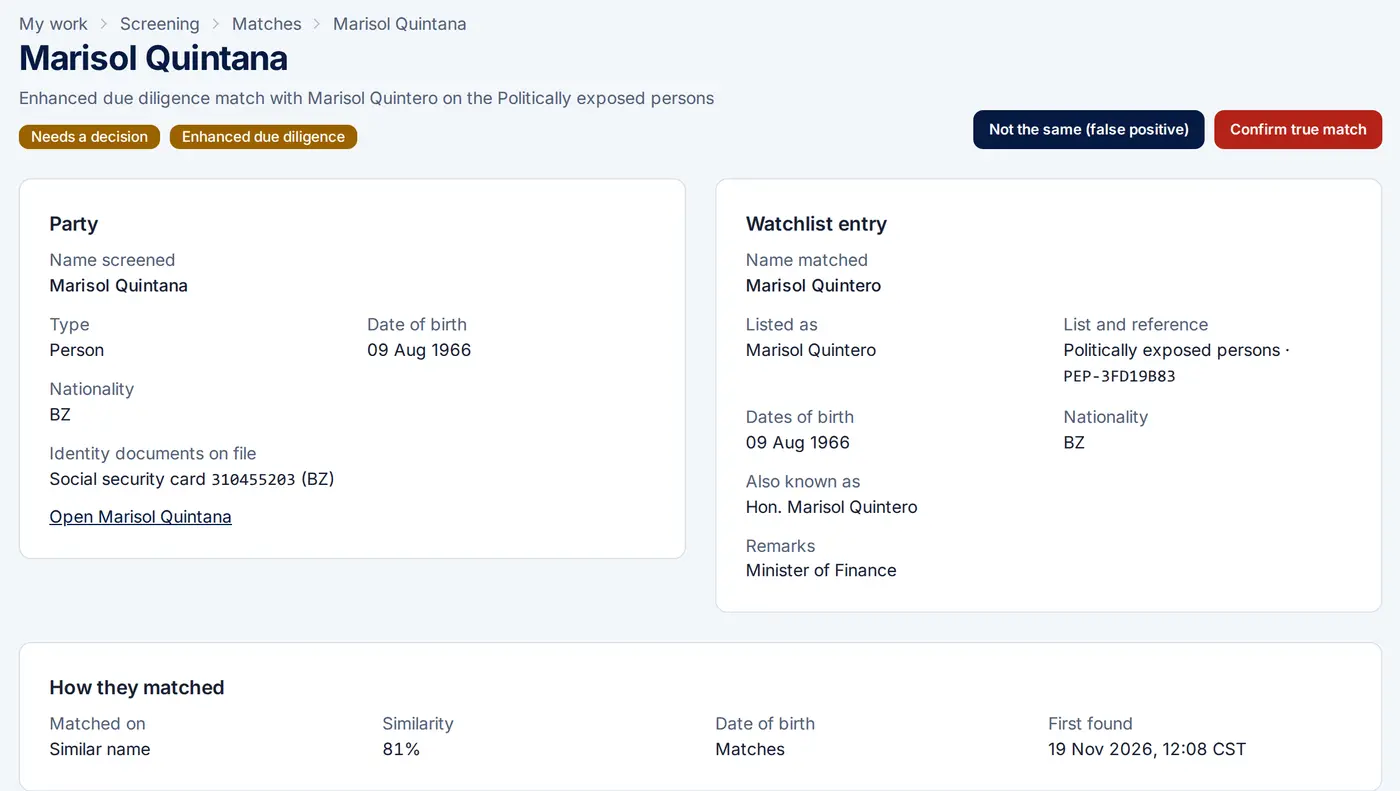
- Every member screened against the UN, OFAC, EU, Belize and PEP lists and the credit union's own list, at registration, on every change and every night.
- A due diligence file for each member that shows what is missing, a risk score from 0 to 100, and reviews when they fall due.
- Transaction monitoring for patterns such as large cash, structuring and dormant accounts coming back to life.
- Investigation cases for Compliance only, so members are never tipped off.
- Suspicious transaction reports in the FIU's own form, the 3-day deadline tracked, kept for five years and unchangeable once filed.
Products and settings
Your products, your rules, set on screen
The credit union sets up its own products and policy figures. Every change needs a reason, is approved by a second person and is kept in a history.
Savings and shares
Products with their own terms, interest tiers and fees, dividends declared from the board or AGM resolution, dormancy and standing orders.
Settings
Lending limits, provisioning rates, reserve targets, the dividend cap, liquidity and borrowing limits and thresholds. Each shows what it does, the law behind it and who may change it.
Rules
Screening policy, due diligence, the risk model and monitoring thresholds are versioned rules, approved by someone other than the author and effective from a chosen date.
Staff and roles
Each person sees their own work
Staff see only the screens their role allows, at the branches they serve. Their home page lists the work waiting for them, which keeps the day focused and the learning short.
Tellers
The counter, their drawer and the day's receipts.
Member services and loans
Onboarding, applications, assessments and collections.
Compliance
Screening decisions, due diligence reviews, cases and reports.
Finance and managers
The ledger, month end, returns, approvals and the board's view.
Each role comes with its own manual, and the staff app has a help page with the manuals for every role.
See Polaris with your own branches, products and rules
We set up a demonstration around how your credit union works, and walk your staff through their own jobs.